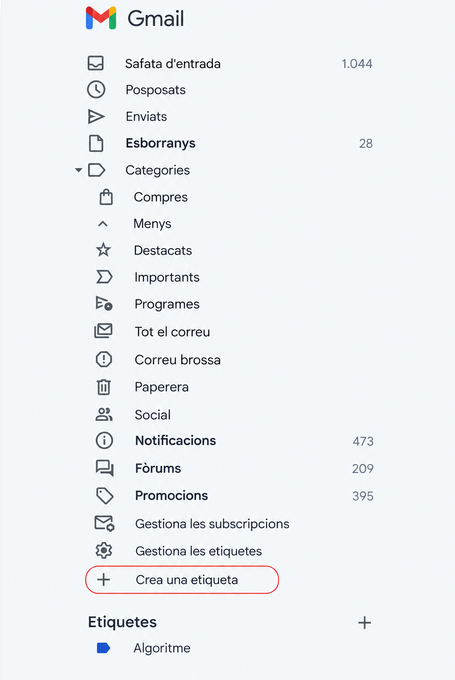
Where to find “Create new label”
It is in the left menu of Gmail where the inbox, sent emails, and the rest of the folders are located. At the bottom, there is the Create new label option, which is the one we use to start creating a new one.
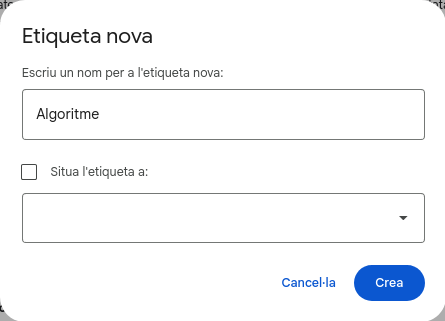
How to create labels
It is the window that opens to name the new label (for example, “Algorithm”). It also allows us to nest it inside another label if we want, and finally, we just need to click Create.
How to organize emails in Gmail with labels
In Gmail, we can create labels to keep our inbox well-organized and find everything faster.
To create one, you just need to go to the left menu, click on More, and then on Create new label. Give it whichever name you want, click save, and that’s it. From then on, you can apply this label to any email to keep it classified.